


Data caps don't mean disaster. Here's how providers handle fair use, slowdowns, fine print, and your options when you run out of hotspot data.

In This Article
-
What a data cap actually is (and why plans use them)
-
What really happens when you hit your limit—hard caps, soft caps, throttling, and deprioritization
-
How TravlFi handles data caps differently from most carriers
-
How much data RVers typically burn through in a month
-
Practical ways to avoid hitting your cap on the road
-
When it's time to upgrade your data plan
-
FAQs
For RVers and digital nomads, a sudden drop in internet speed can disrupt everything, including trip planning and your RV office workflow. For those working from their RV full-time, hitting a data cap that severs service isn’t really an option. But what happens if you hit your data cap, and does it mean you're totally cut off? In most cases, it depends on your exact plan from your specific internet service provider.
Jeff Gwinnell, connectivity specialist at TravlFi, gets to the root of it, "Network bandwidth is not infinite and cellular towers can sometimes become overwhelmed by amounts of users to the point where data is cut off to preserve other services." Ahead, we'll break down how a data cap actually works, what happens when you exceed your RV internet data limit, how TravlFi's unlimited threshold differs from other carriers, and ways to keep your RV connected without worry.
TL;DR
A data cap is the data limit before your service stops, slows, or is deprioritized. If you hit a hard cap on a set-GB plan, service pauses until you renew. A soft-cap unlimited plan doesn’t cut you off like a hard cap, but speeds will drop after a threshold even though you’re not exactly “out” of data. TravlFi's Unlimited plans throttle only once you hit 800 GB, but speeds still stay functional at 5 Mbps minimum.
Experts Who Contributed to This Guide
-
This article was written by Amanda Capritto, TravlSync editor and full-time vanlifer.
-
This article was updated by Lauren Keary, experienced travel journalist.
-
Jeff Gwinnell, connectivity specialist at TravlFi, contributed expertise to this article.
-
Nathan Popp, Vice President of Revenue Operations at TravlFi, contributed expertise to this article.
What Is a Data Cap?
In the mobile internet world, a data cap is the amount of data you are allowed to use before your service either stops, slows down, or is deprioritized. Some providers use hard caps, meaning once you hit your limit, your connection shuts off until your next billing cycle. Deprioritization thresholds, on the other hand, are where your speeds are reduced after a predetermined amount of GBs used. This way, you’re still connected, but your connection will be much slower. Every hotspot and cellular plan has some kind of cap (even the ones labeled "unlimited”).
How Cellular Providers Define Data Limits
Cellular providers measure data in gigabytes (or GB) burned per billing cycle, which is almost always 30 days long. "High-speed data" refers to what you can stream, download, upload, and work with at full tower speeds. If you go past the upper limit, the provider will explain what happens in the Terms of Service or Fair Use Policy (sometimes called an "acceptable use policy").
Hard Caps Vs Soft Caps
Most prepaid plans with set GBs use hard caps. This means if you hit your limit, you’re done until your next billing cycle (or until you cave and buy more data).
Soft caps (also called deprioritization thresholds or throttling limits) keep you connected, but your speed drops after a certain amount of usage. Most "unlimited" plans work like this, which is why they’re not truly unlimited.
Why Hotspot Plans Use Data Caps
Data caps exist because cellular bandwidth is shared. Every tower has its limits and with millions of people using each tower, there have to be data caps. A small number of people burning through multi-terabyte amounts of data can take over an entire tower and keep other people from using it. Caps and hotspot fair use policy rules are how providers keep the playing field even. Without these rules, a small group of "super users" could overwhelm networks, making service less reliable for everyone else.
What Actually Happens When You Hit Your Data Cap?
You may or may not notice that you’ve hit your limit, depending on your specific plan and the network traffic. Slowdowns can happen even if you haven’t hit your cap, so it’s hard to tell if the throttling is because of your data use or just lots of users slamming the same tower with connection requests at once.
Hard Caps (Service Stops)
If your plan has a cap (say, 10 GB or 50 GB for the month) and you blow past it, your device simply stops connecting to the internet. You'll still see Wi-Fi bars on your phone, but nothing will load. You can always buy more hotspot data if you’re desperate, but otherwise, you’ll need to wait for your next billing cycle to begin.
Throttling (Speed Reduction)
Throttling is when your carrier decreases your speed once you reach a certain limit. Speeds might drop from 100+ Mbps down to something hardly functional, even 1-3 Mbps on some cheaper carriers. You may be able to slowly load web pages but forget about Zoom calls.
That's the meat of the data cap vs throttling comparison, but "throttled" speeds aren't universal. Some carriers drop you to 600 Kbps (basically dial-up). But others leave capability for email and browsing. The number on the plan is going to be different with every provider.
Deprioritization During Network Congestion
You’re not getting slowed completely here, but when network towers are slammed, you’re last in line for a signal. You’ll really only notice this when you’re at crowded campgrounds where the best cell tower nearby is overwhelmed with users. If the guy next to you at camp hasn’t reached his deprioritization limit, he’s going to be watching Netflix easy-breezy while you’re struggling to get a measly signal to text.
"TravlFi itself does not deprioritize your data based on network congestion," Gwinnell clarifies. "The only time we may intentionally change speeds is if you're on an Unlimited plan and use more than 800 GB in a month. However, because we operate on major carrier partner networks, there will always be fluctuation in speed or occasional slowdowns during periods of heavy congestion and other conditions that are outside of TravlFi's control."
Unlimited Data Thresholds Explained
Every unlimited plan has a soft cap where throttling or deprioritization kicks in. Some carriers flip that on at just 22 GB, but TravlFi's threshold is 800 GB.
At 800 GB, you'd be streaming roughly 270 hours of HD video a month, or running a remote office for a family of four with room to spare. You’ll really need to put in work to hit 800 GB, but over that threshold, TravlFi Unlimited users remain connected at a minimum of 5 Mbps. That means you'll still have internet fast enough for email, music streaming, social media, web browsing, and video in 480p.
"Most carriers drop speeds much lower," Nathan Popp, TravlFi Vice President of Revenue Operations, notes. "Any temporary slowdowns [with TravlFi] before that point would only be due to rare network congestion from our carrier partners."

How TravlFi Handles Data Caps
TravlFi uses both hard and soft caps depending on your plan. With standard plans, you purchase a set amount of data that's good for 30 days, and once you've used it, service stops unless you renew or upgrade. With Unlimited plans, you get high-speed data up to 800 GB before speeds decrease.
"TravlFi doesn't have a traditional 'fair use' policy like most carriers, in the sense that we don't throttle or deprioritize at low data thresholds," says Popp. "Our 'excessive use' threshold is much higher than what's typical."
Popp paints a better picture of what this looks like in real life. "For Unlimited plan customers, you can use as much high-speed data as you want," Popp clarifies. "Only after you've used at least 800 GB in a month (which is hundreds of GB more than most providers allow) would speeds be reduced. We don't slow you down before that point, though as with any service that uses carrier partner networks, rare slowdowns from network congestion can still occur outside our control."
Learn more: RV Wi-Fi Options Explained—Cellular, Public, and Satellite
The official TravlFi Fair Use Policy reads: "Our goal at Pace is to provide high-speed internet access to our entire community of users, anywhere and anytime! To ensure we optimize our data network to provide the best speeds to the greatest number of customers worldwide, we practice an industry standard Fair Use Policy... TravlFi 4G Unlimited plan customers using >800GB/mo. may experience reduced speeds down to 5 Mbps."
Translation: unlimited users can use large amounts of data before anything changes. At 800 GB, speeds may be reduced, but service continues without interruption, and 5 Mbps is good enough for most daily internet activities.
Learn more: 4G vs. 5G Internet for RV-ing
How Much Data RVers Actually Use
For most RVers, you’re likely not hitting 800 GB per month. But if you're working remote, streaming 4K, running backups, and downloading game updates at camp, your use will add up quicker than most.
Learn More: How Long Does 200 GB of Data Last?
Remote Work Usage
A standard-definition Zoom call uses roughly 540 MB per hour, and HD video edges that to 1.2 GB per hour, so video calls are really where you’re going to burn through data. We’d consider things like email and documents to be practically free by comparison (less than 10 MB per hour).
A typical remote worker doing 4-5 hours of video calls per day, five days a week, burns roughly 40-60 GB per month on work alone. But that’s still a fraction of TravlFi's 800 GB Unlimited threshold.
Streaming Video Usage
On Netflix, standard definition runs about 1 GB per hour, HD runs 3 GB per hour, and 4K climbs to 7 GB per hour. Two hours of 4K streaming per night means 420 GB a month just from streaming. Dropping from HD to SD should cut your usage by two-thirds, and you’re unlikely to even notice the difference visually.
Gaming And Downloads
Most games only burn 40-150 MB per hour from just playing, but downloads are where you eat through data. Modern console and PC game installs regularly use 50-150 GB per title, while updates can hit 30+ GB. Use campground or any other free Wi-Fi for this if you can.
Multi-Device Households
A two-person RV with laptops, phones, a smart TV, a tablet, and a couple of IoT devices gobbles around 150-300 GB per month of mixed-use data. Add a teenager or a full-time remote-work setup, and you’re easily in the 400-500 GB range.
TravlFi's 800 GB ceiling gives most families plenty of room, but these multi-device households are still the most likely to run into the slowdowns from hitting carriers’ unlimited thresholds.

How to Avoid Hitting Your Data Cap
If you are regularly surpassing the limits you currently have, there are a few ways to manage usage and stay connected.
"If you're consistently running out of data, you might want to consider an Unlimited plan on 4G or 5G devices," Gwinnell says. "If that's not possible, [use] home Wi-Fi or non-cellular internet sources to download large files ahead of time."
But he’s also got a few other tips.
Lower Streaming Quality
Limit stream quality to the lowest usable level. You won’t even notice this visually, but it will save you a ton of data (cutting HD to SD drops usage by about 70 percent).
Disable Background Syncing
Your phone and laptop are constantly uploading photos, syncing documents, running backups, and pulling app updates behind the scenes. That means your devices are just using your data for this without you even knowing it’s happening.
Disable automatic app refreshes, turn off auto-sync for cloud photo services, and pause automatic app updates when you're on cellular. These changes alone can decrease monthly data use by 20-30 GB.
Download Content Before Traveling
Download content offline before you leave home Wi-Fi. A family downloading a week's worth of shows at home saves 30-50 GB of RV internet. Netflix, Disney+, Spotify, and Apple Music all support offline downloads in their apps. Most map apps let you save specific regions for offline navigation. Podcast apps can also download over Wi-Fi and play offline later.
Track Data Usage With Dashboards
You should always watch your data usage, and if you are not on an Unlimited plan, monitoring is even more important. You should be checking weekly, at minimum. TravlFi makes it easy to track:
-
Log into your TravlFi Portal
-
Call the support center at 1-800-960-6934
-
Email support@travlfi.com
- If you have the JourneyGo 5G Hotspot, this information is displayed on the devices touchscreen
Set self-imposed data thresholds and warnings on your phone and laptop too. iOS and Android both let you set a cellular data limit that notifies you as you get close to it. Use third-party apps like GlassWire or DataMan for more detailed tracking. Gwinnell also suggests setting up notifications that remind you to check your current data levels before and after each trip. If you're ever unsure where you stand, TravlFi's customer support can give you a real-time usage update.
Use Campground Wi-Fi Strategically
Campground Wi-Fi isn't reliable for Zoom calls or consistent workflows, but it's a great resource for heavy downloads—game updates, OS updates, cloud backups, etc. Queue those tasks up while you're parked somewhere with "free Wi-Fi," then switch back to TravlFi for your real work. Just be smart about what you do over public Wi-Fi. Avoid doing anything sensitive or viewing private information on these networks.
When You Should Upgrade Your Data Plan
When your work or lifestyle depends on reliable speed, data-saving tweaks aren't helping, and the cost of a bigger plan feels small next to the hassle of hitting your cap each month, it’s time.
Really consider an unlimited plan if:
-
You're working remote full-time from the road
-
Your RV has three or more active internet users
-
You prefer to use HD video streaming, and you do it often
-
You game online (especially with large downloads)
-
You've hit a hard cap mid-month two or more times
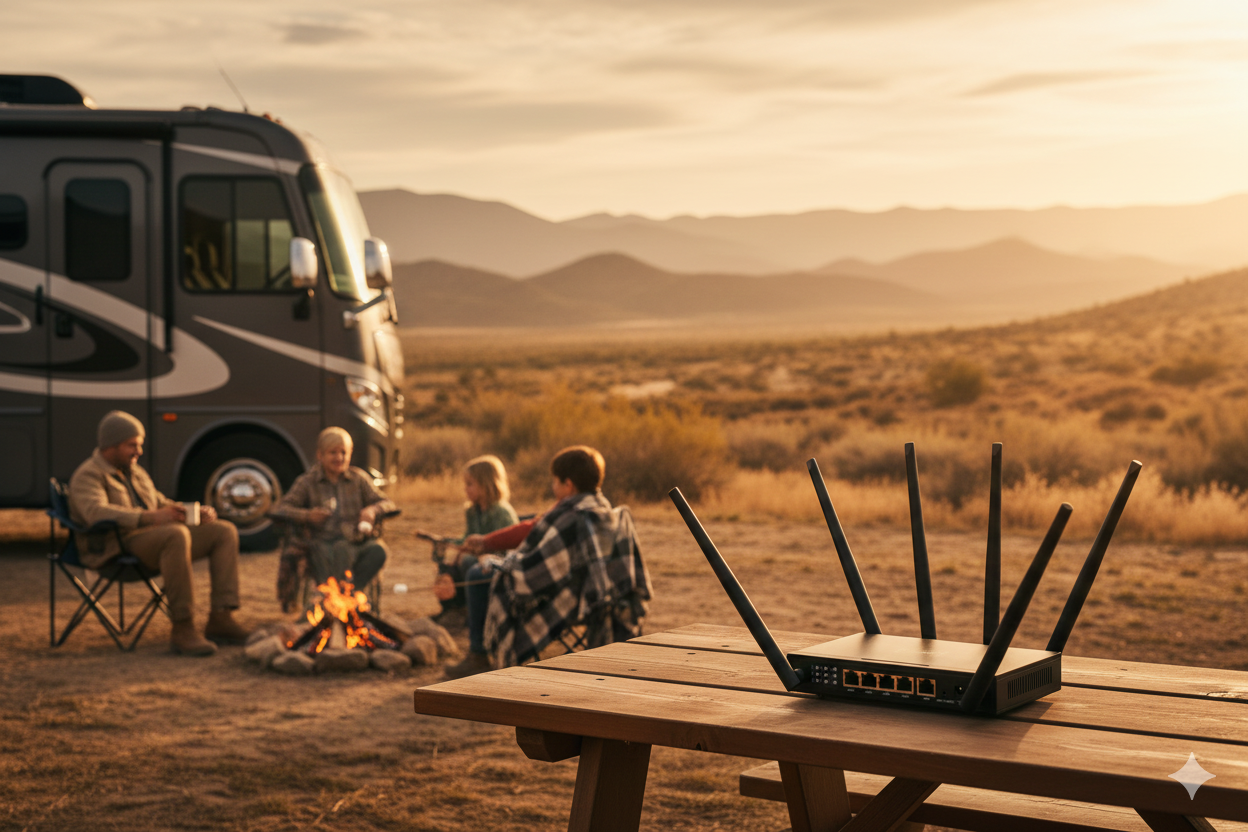
For most weekend campers, a basic set-GB plan works fine. For full-timers, unlimited should be a done deal. The TravlFi JourneyGo Hotspot works for lighter users; the JourneyXTR Pro 5G Router partners well with Unlimited plans and heftier multi-device setups. If you’re off the grid a lot, read up on TravlFi vs. Starlink.
Frequently Asked Questions
What happens if I hit my hotspot data cap?
If you're on a hard-cap plan, your device stops connecting until you renew or upgrade. On an unlimited plan, you’ll still be connected, but speeds may slow once you pass the data threshold. On TravlFi Unlimited, that threshold is 800 GB, and even past it, speeds stay at a minimum of 5 Mbps, which is still good enough for email and browsing.
Does unlimited data really mean unlimited?
Every "unlimited" plan has a soft cap where throttling or deprioritization starts. TravlFi's threshold is 800 GB, which is far above what most RVers use in a month. If you’re considering other carriers, some can throttle at just 22 GB.
Can I buy more data if I run out?
With TravlFi, you can buy more data anytime from your account portal without contracts or reactivation fees. You can also email support@travlfi.com or call 1-800-960-6934 to change up your data mid-cycle.
How do I track hotspot data usage?
Log into your TravlFi Portal, check your usage in the TravlFi app, or contact support at 1-800-960-6934. You can also set data warnings directly on your phone or laptop since both iOS and Android support cellular data caps that alert you as you approach a limit.
What internet speed is usable after a cap?
TravlFi Unlimited users get the fair-use minimum of 5 Mbps, which is enough for email, music, social media, web browsing, and 480p video. Most other carriers drop throttled speeds to 600 Kbps-1 Mbps, which is closer to dial-up.
Can you still use the internet after hitting a data cap?
On an unlimited plan, yes, but at reduced speeds. On a hard-cap plan, no, not until you renew or upgrade. It all depends on your provider's policy and which plan type you're on.
How can I avoid going over my data limit?
Stream in SD, download movies and maps before you travel, get rid of background syncing, and use campground Wi-Fi for hefty downloads. If you're hitting your cap consistently, a different plan may be your best bet.
More Essential Reading for TravlFi Owners:
Which TravlFi Device Is Right for You?
TravlFi keeps you connected on the road. Not sure which device is best for you? Compare below.

Want worry-free internet on the road? Learn more about TravlFi plans designed for mobile living.


Share: