


Weekend campers and full-time RVers alike, here's how TravlFi can keep you connected with pay-as-you-go plans and mobile internet devices.

In This Article
-
TravlFi at a glance: the key info you need to know
-
How does TravlFi work? (the tech, the plans, the flexibility)
-
Who TravlFi is built for and whether that's you
-
Real-world performance expectations
-
Getting started with TravlFi
-
Your questions about TravlFi answered
-
How TravlFi stacks up against satellite, home ISPs, and other cellular providers
-
FAQs about TravlFi
Finding fast, reliable internet on the road used to feel like chasing a mirage. We’ve all been there—you pull into a campground after six hours of driving, crack open your laptop, and the Wi-Fi either doesn't connect or loads your first Google search over the course of ten minutes. Consistent internet connection on the road has been a sore spot for RVers since the dawn of remote work, and it has only gotten more frustrating as we’ve moved more and more online. In 2026, it’s really difficult to go without it if you work remotely or want to FaceTime your grandkids from your retirement celebration RV trip in Sedona. TravlFi was literally built to solve this notorious pain point.
So what is TravlFi? TravlFi is a pay-as-you-go mobile internet service designed for people who travel. TravlFi taps into all major cellular networks, doesn't involve a contract, and powers hotspots and routers that were made for RVs, vans, and campers. To put it as simply as we can, TravlFi allows you to buy data when you're on the road, don't buy it when you're not, and let the device find the best signal for you.
TL;DR
TravlFi is a contract-free, pay-as-you-go internet service for RVers, vanlifers, and road-trippers. Its devices use embedded SIM technology to lock in on the strongest signal from multiple cellular networks automatically. Buy data when you need it, cancel when you don't, and reactivate without fees. TravlFi RV internet fits how travelers actually travel.
Experts Who Contributed to This Guide
-
This article was written by Amanda Capritto, TravlSync editor and full-time vanlifer.
-
This article was updated by Lauren Keary, travel writer and editor.
-
This article was reviewed for accuracy by Jeff Gwinnell, TravlFi connectivity specialist.
TravlFi at a Glance
We want to set you up here with a quick preview of how TravlFi works before we dig into the details:

-
Pay-as-you-go data: Prepay one month at a time, cancel whenever, no annual anything, and simply reactivate whenever without any additional fees.
-
Multiple device connectivity: Connect anywhere from 10 to 128 devices on one private network, depending on your TravlFi device. Your laptop, tablets, smart TV, and phones can all run at the same time.
-
Carrier-agnostic flexibility: TravlFi devices automatically scan for the strongest available signal from AT&T, T-Mobile, Verizon, etc., and whoever has the best tower near you is the one TravlFi will use.
-
Real-time usage tracking: Your data portal shows how much data you have used, so there’s no guesstimating as you go.
-
No surprise fees: Pay for your activation fee up front and just a monthly for your chosen plan after that. There are no hidden charges or overage penalties hiding behind fine print.
-
Travel-ready setup: The JourneyGo fits in a backpack and the routers easily mount in your RV. All TravlFi devices are designed specifically for mobile lifestyles.
-
Third-party device compatibility: Combine TravlFi routers and external antennas/boosters for more range. If you camp in areas where signal is normally in and out, this is what grabs onto that signal that’s a bit too far for your router to reach by itself.
How TravlFi Works
As with any tech, there are a few things you should understand about how your tech works before you swipe your card. So here’s TravlFi explained.
Understanding the Tech
At the end of the day, TravlFi is cellular internet, the same kind of connection your smartphone uses when you’re not connected to Wi-Fi. 4G LTE signal is slower but more widely available and 5G is the fastest available but mostly lingers in urban hotspots. This cellular data goes from a cell tower to your device and back. The difference between TravlFi and your smartphone is that TravlFi devices talk to multiple cellular networks simultaneously.
Having access to only one cell network is limiting, which is why multi-network coverage is such an important feature for TravlFi. Your phone is tied to one carrier, let’s say AT&T. If AT&T's nearest tower is 40 miles away or overwhelmed with traffic, you’re stuck. TravlFi uses embedded SIM technology (sometimes called eSIM or virtual SIM) that lets the device hop between carriers on its own. It scans for the strongest available signal from any major carrier nearby and connects. What that means is that you no longer need to switch out your SIM cards manually to find the best signal.
TravlFi’s current lineup has three devices, and they're each made for different users:
-
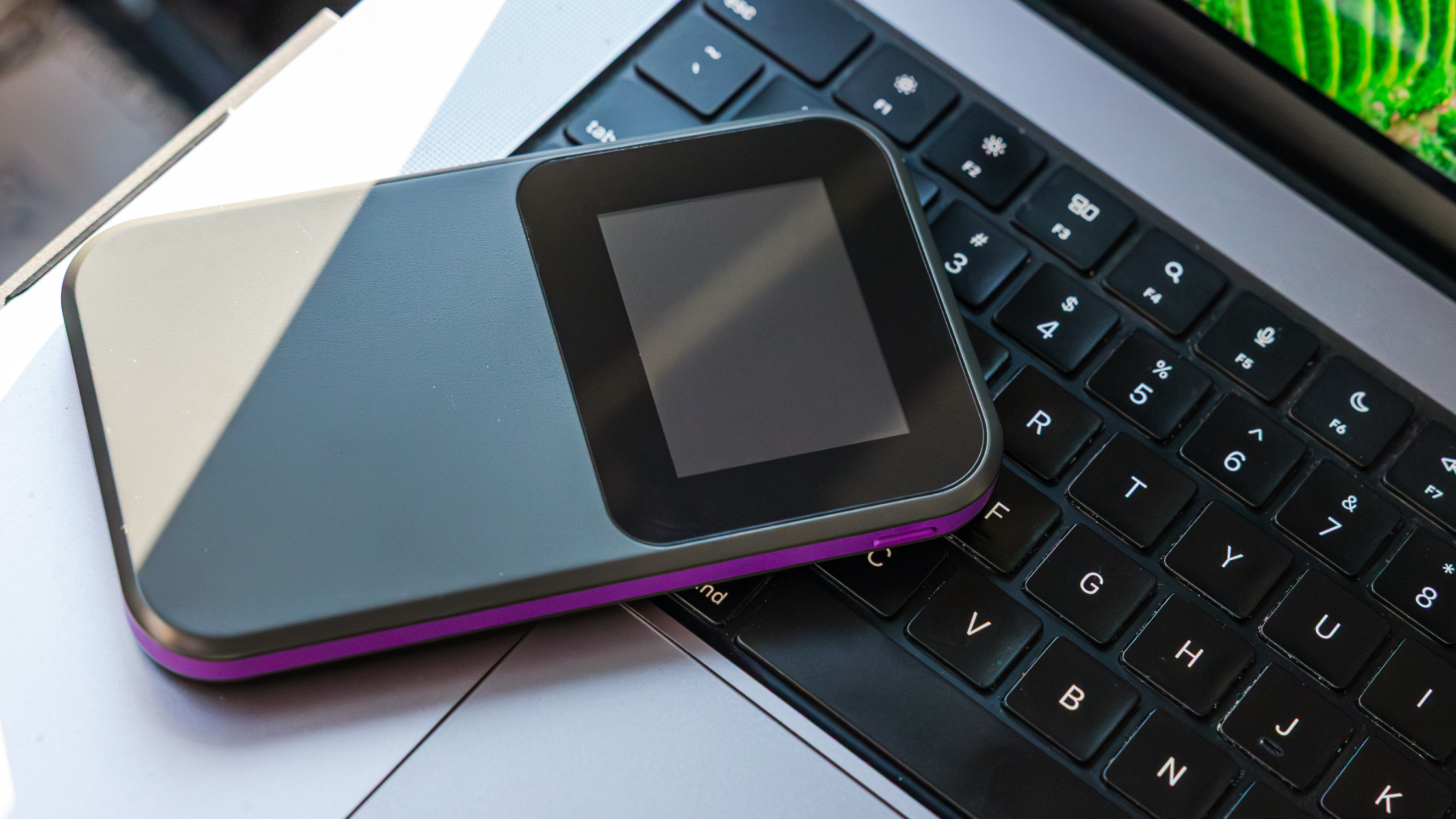
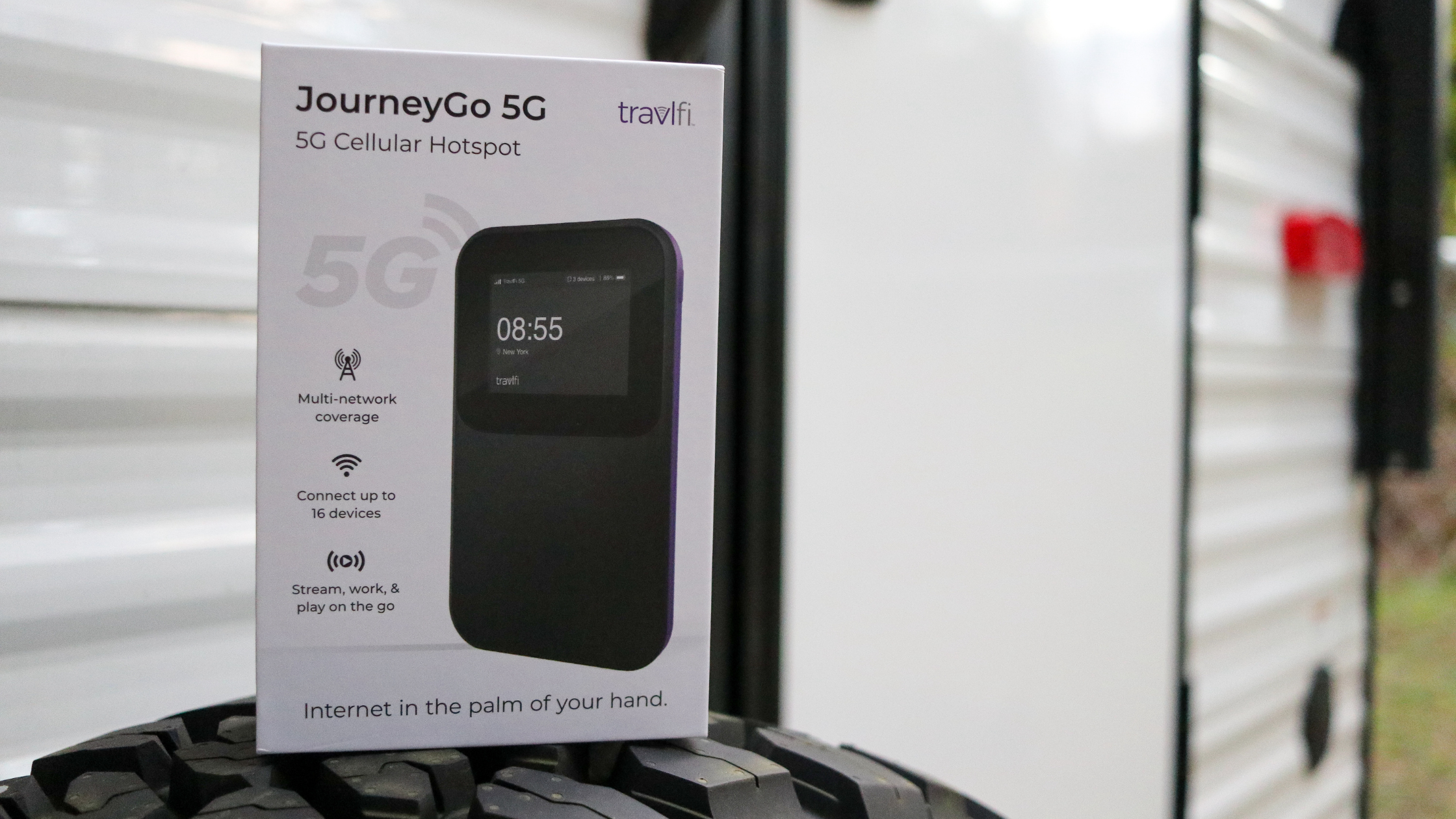
JourneyGo Hotspot: This hotspot is small and portable. It supports 4G LTE and can handle up to 10 devices on its 16-hour battery life, all of which is quite impressive for its size. If you're a weekend camper and mostly need quick checks on email, browsing, maybe some Netflix before bed, this little warrior has you covered. It’s both easy to set up and easy to toss in your travel bag.
-
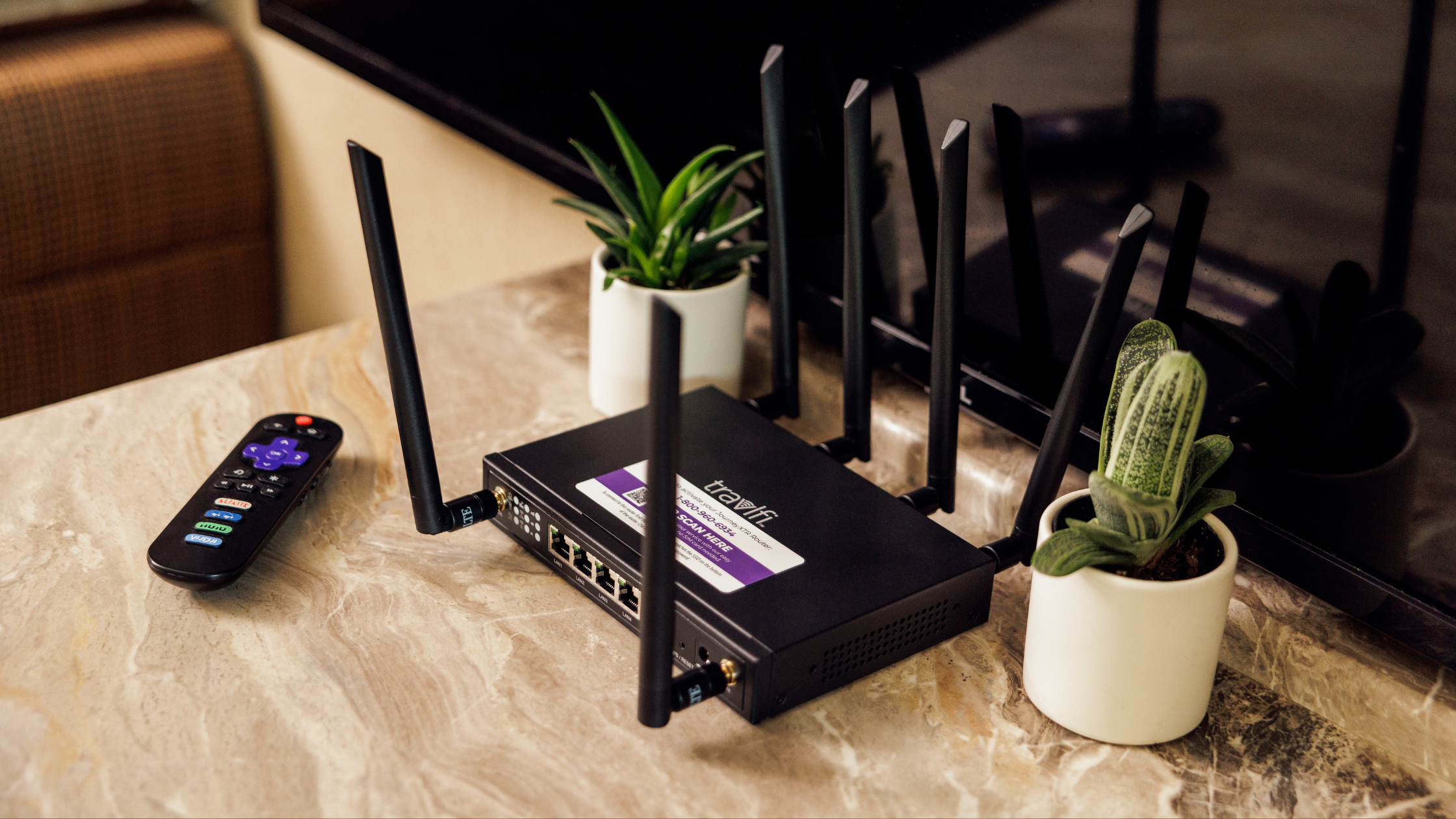
JourneyXTR Router: The XTR Router is a step up—it supports 4G LTE, can connect 32 devices, and plugs into AC power. This setup has a stronger signal and can support more devices than the hotspot (especially with external antennas). A lot of full-timers start with a hotspot and eventually upgrade to a router.
-
XTR Pro 5G Router: This is TravlFi’s biggest upgrade. The XTR Pro 5G supports both 4G LTE and 5G networks, connects up to 128 devices, and delivers Wi-Fi 6 speeds up to 3,600 Mbps. For full-timers who need consistent and fast internet, the XTR Pro is the answer. It costs more, but for remote workers on Zoom calls during the workday, big families, nighttime TV show bingers, and gamers who freak out over lag, you’ll need this setup.
The Pay-As-You-Go Model
To keep it as straightforward as we can, here’s TravlFi’s pay-as-you-go explained in just three words: no long-term contracts.
Your first step is to pick a data plan. TravlFi offers everything from small data buckets to unlimited plans. Then, you’ll prepay one month at a time; monthly payments are due from your activation date, covering the upcoming month of service. You have the flexibility to cancel your subscription at any time without worrying about reactivation fees when you decide to resume service. That translates to easy seasonal cancellation if you’re storing the RV for winter or only really using your RV for fall leaf peeping. Whenever the time hits that you’re on the road for three months straight, reactivate and stay on for those three months. TravlFi bends around your schedule.
This is ultra important to us because, well, when's the last time you traveled the exact same amount two years in a row? Some months you're burning through 150 gigs because you're on the road nonstop. Other months the rig is sitting in a storage lot and paying for mobile internet would be a total waste.
Who Should Use TravlFi?
Well, it depends on how you travel. "On the move" can mean a dozen different things to different people.
-
Weekend RVers and casual campers: You're out for long weekends or the occasional week-long trip. All you may need is email, Instagram, and maybe a movie at night. The JourneyGo is probably your best bet. Toss it in your bag, turn it on at camp, turn it off and store it when you get home.
-
Full-time RVers and vanlifers: The road is literally your address. You need internet every day for streaming, working, video-calling family, handling bills, everything you’d need it for if you had a permanent address. A hotspot alone can't always keep up with that, especially in spotty areas. The JourneyXTR or XTR Pro with an external antenna gives you the consistency a hotspot can't.
-
Remote workers and digital nomads: Spotty internet is a paycheck problem for you. The XTR Pro's 5G and 128-device support turns your rig into a legitimate mobile office. Throw a booster on top and you've got a setup that can compete steadily with most home connections.
-
Families: Two kids, two different tablets; one parent on Zoom; the other looking up tomorrow's campsite—that's four devices minimum, all hammering the connection at once. JourneyXTR handles 32 and XTR Pro handles 128. Either way, families typically need a router over just a hotspot for the sheer number of devices on site.
TravlFi Performance: What to Expect
So, does TravlFi work everywhere? We're going to be completely honest with you here.

TravlFi runs on the same cell networks as your phone. Your speeds are dependent on a few things: how far you are from the nearest tower, how clogged that tower is with other users, and what's physically between you and the signal. Mountains, forests, and even a metal-sided campground bathroom between you and the tower can mess with it.
In and around cities, near towns, at established campgrounds with decent coverage, your signal will be just fine; even streaming and video calls should work great. Drive 45 minutes into a national forest and set up camp in a canyon, and that signal is much more likely to fall off. That's true of every cellular internet provider, including TravlFi.
The multi-network feature is an advantage though. TravlFi scans all major carriers instead of being tied to just one, so chances of finding a usable signal go up compared to a phone hotspot that only sees one carrier's towers. And another perk is if the device grabs a tower that's technically "strongest" but crowded with traffic, you can log into the TravlFi portal, rescan, and switch providers manually.
A few specifics:
-
Location trumps everything. A suburban campground near an interstate is going to have a great signal. An established park outside a mid-size town will also probably be fine. BLM land in the middle of the Sierras? Could be perfect, but there could also be nothing. That's cellular data for you.
-
Antennas matter more than most people realize. If you have a JourneyXTR or XTR Pro, we recommend you pair it with an external antenna. In fringe coverage areas (one or two bars, the spot where webpages half-load) an antenna can turn a marginal connection into a workable one.
-
5G is fast (where it's available). The XTR Pro pulls 5G in cities and along major interstates. But in rural areas, it’s not available yet. Most of the country is still 4G LTE territory, and that's honestly fine for streaming, calls, and browsing. 5G will keep expanding, and the XTR Pro will lock onto it when it does.
-
Streaming and gaming still work on 4G LTE. If you’re worried about missing out on your favorite movies and shows or online gaming while on the road, so long as you have a decent LTE signal, TravlFi has you covered. This was a real concern a couple years ago, but it really isn’t one anymore, so stream away.
TravlFi Setup Basics
We’ve helped enough customers to know that people tend to overthink this part, but Wi-Fi set-up is actually quite straightforward:
1. Pick a device. JourneyGo hotspot if you travel light, JourneyXTR router for a more permanent setup, and XTR Pro if you need the whole family and all their devices connected. (Scroll down to the comparison table if you're still not sure.)
2. Choose a data plan. Plans start at $19/month. Small buckets, big buckets, unlimited, just pick what you predict will suit you best and you can always change it if you guessed wrong.
3. Activate device. Your device ships with embedded SIM tech. It takes a few minutes to activate online, but that’s really it.
4. Connect your device(s). This is the same as joining any Wi-Fi network. Whether it’s a laptop, phone, tablet, or smart TV, just hop on the TravlFi network and go.
5. Monitor your data usage. Your portal tracks your usage in real time. Check it occasionally so you don't burn through everything by day 12 of a 30-day trip.
6. Add boosters and antennas if you need them. Of course this is optional, but if you keep ending up at campsites where the signal is weak, an external antenna or booster makes a big difference. (This is only relevant if you have a router though.)
Side note: If a trip into Canada or Mexico is on the horizon for you, TravlFi has international plans for that.
TravlFi FAQs
What is TravlFi?
TravlFi offers pay-as-you-go mobile internet for travelers via hotspots and routers that connect to multiple cellular networks on their own. Each device finds the strongest signal, so you don't have to fuss with SIM cards to do that yourself. There are no contracts beyond the month you have paid for.
Does TravlFi require a contract?
Nope. TravlFi is month-to-month, prepaid. Cancel whenever, restart whenever, and don’t worry about cancellation or reactivation fees because there aren’t any.
Will TravlFi work in remote areas?
That depends entirely on what your version of "remote" looks like. TravlFi runs on cellular networks, so it needs at least one major carrier's tower within range. The multi-network scanning helps a lot here as it looks at all carriers, so you've got better odds than a regular phone hotspot. But if you're talking deep backcountry where literally no carrier has coverage for miles, no cellular device is going to help—that's satellite internet territory.
Is TravlFi better than campground Wi-Fi?
95% of the time, yes. Campground Wi-Fi is a shared connection, so every camper in the park is on that network. When 200 people all try to stream a movie at once on Friday night, you bet that public connection is going to lag. TravlFi provides a private connection on your own mobile router or hotspot, so you don’t have to share with anyone.
Can I use TravlFi for work and video calls?
You sure can. Video calls, cloud tools, and file uploads all work via TravlFi’s devices, so long as you’ve got a reasonable cell signal. If your job requires you to stay connected, opt for a JourneyXTR or XTR Pro router and consider adding an external antenna for an even better chance at a signal when you’re further from a tower. That combo handles remote work, even in areas where the signal isn't great.
TravlFi vs. Other Internet Options
So how does TravlFi compare to other Wi-Fi options on the market? Here’s the truth.

TravlFi vs. Home Internet Service Providers
Home internet service runs a cable or fiber to a physical address (house, apartment, condo, etc.). This works great if you never leave, but less great if your living room has wheels.
TravlFi connects through cell towers, so you don’t need a fixed address. The routers plug into AC power inside the RV but that's as "fixed" as it gets. Of course, a fixed internet connection in an urban center is always going to run smoother than cellular data. But if you’ve got the XTR Pro and you often camp right outside major hubs (not deep in BLM land), you honestly won’t notice much of a difference in internet speeds between your RV and your friend’s house down the street.
TravlFi vs. Satellite Internet
Satellite internet—Starlink is the one everyone asks about—sends signals from satellites in orbit down to a dish on (or near) your rig. It can reach places where cell towers just don't exist. That's where it beats out TravlFi.
But, the dish is bulky, the equipment is expensive, and you need a direct shot at the sky above you, which means it won’t work in forests and vast canyons. It’s typically more laggy than cellular, and that shows on video calls and in games. Rain can also interfere with satellite internet.
If you generally camp within range of cellular networks (and that covers most established campgrounds, highways, and basically anywhere within 20 miles of a town) TravlFi is cheaper, more portable, and doesn't require a dish the size of a large shoebox. If you regularly camp in genuine wilderness where no cell towers exist and you've got open sky, satellite is truly a great option. And frankly, a lot of people carry both these days.
TravlFi vs. Other Cellular Providers
Using your phone as a hotspot is free (ish), and many RVers start here. We get it, but you’ll start to yearn for more after a few nights of watching the RVers next to you binging Netflix with zero lag time. Your phone only looks for one carrier's towers. If Verizon doesn't cover that campground you’re parked at in West Virginia, there’s nothing you can do. TravlFi scans all major networks, so there are more towers to choose from, and therefore, more options for a better signal than just one network can provide.
Carriers also don’t prioritize hotspot data. Your phone's browsing still works, but the laptop connected through the hotspot is going to get throttled. TravlFi devices are dedicated internet hardware, so they're not sharing data with your phone's texts, calls, and late-night scrolls. And phones often have a data cap for hotspotting, too. Most phone plans give you maybe 15-50 GB of hotspot data, tops. Using your smartphone as your only hotspot works if you're only traveling on weekends and really don’t want to spend much time online. A family of four that’s streaming daily and working remotely will run right through that cap in a span of days.
You can find other dedicated cellular providers out there, of course. But most will lock you to only one carrier's network. TravlFi’s multi-network approach—scanning for whichever carrier has the strongest signal wherever you happen to be parked—gets you better coverage without having to swap SIM cards.
FAQs About TravlFi
How does TravlFi work?
TravlFi uses nationwide cellular networks to connect your devices to internet. You choose a TravlFi device (a hotspot or router) and it connects to the strongest available carrier signal automatically. Plans are contract-free and flexible, so you can use as much or as little data as you need—ideal for travel, RV life, or remote work.
Can TravlFi replace traditional Wi-Fi?
On the road, that's exactly what it does. TravlFi internet takes the place of the cable or fiber connection you'd have at home. The one caveat is that cellular speeds fluctuate based on tower proximity and congestion, so it won't feel identical to a hardwired fiber connection all the time. But for the vast majority of RVers and vanlifers, it’s a great replacement for their home Wi-Fi.
Is TravlFi better than satellite internet?
It depends on how and where you travel. If you generally camp in established campgrounds within range of cellular networks, yes. It works on major cellular networks, so you can stay connected while driving, camping, or parking in areas with signal—without needing a clear view of the sky. However, if you regularly travel beyond the bounds of terrestrial cellular networks and often go to the beach or open desert (areas with sky views and few trees), satellite internet could be better for you.
More Essential Reading for RVers:
-
How to Secure Your RV Wi-Fi in 2025: Expert VPN and Network Setup Tips
-
How Far Will 200 GB of Mobile Data Go? (2025 Usage Guide for RVers and Remote Workers)
Which TravlFi Device Is Right for You?
TravlFi keeps you connected on the road. Not sure which device is best for you? Compare below.

Ready to get off the campground Wi-Fi and start using your own private network? Learn more about TravlFi devices and data plans.




Share: