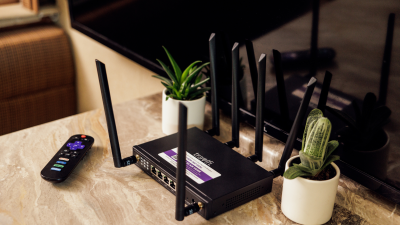
Discover the difference between mobile hotspots and RV Wi-Fi routers, and learn which mobile internet solution is right for you.

In This Article
-
What an RV Wi-Fi router actually is
-
How a router gets you internet on the road
-
Pros, cons, and limits
-
Situations when you need a router vs. when a hotspot is enough
-
Common misconceptions about RV routers
-
Step-by-step RV router setup
-
What to look for when shopping in 2026
-
Other RV internet options compared
-
FAQs
Staying connected to who and what you love while traveling the open road can take work—and shoddy Wi-Fi can get you in trouble on the job if you’re trying out that digital nomad life. The life of an avid RVer can (and will) bring you to all kinds of places, urban and remote alike. And with so many different forms of mobile internet on the market today, you likely have found yourself asking what is an RV Wi-Fi router at one point or another when scanning your list of options. Our guide answers that question and lays out how routers compare to mobile hotspots and other mobile internet connections—plus, how to pick the right RV internet hardware for your setup.
TL;DR
Mobile Wi-Fi routers work similarly to mobile hotspots, but they are stronger, boasting more consistent connections, quicker speeds, and lower lag time. For full-time RVers and vanlifers, especially remote workers, an RV router is often the best solution for mobile connectivity.
Experts Who Contributed to This Guide
-
This article was written by Amanda Capritto, TravlSync editor and full-time vanlifer of two years.
-
This article was updated by Lauren Keary, an experienced travel writer.
-
Jeff Gwinnell, TravlFi connectivity specialist, reviewed this piece for accuracy.
What Is an RV Wi-Fi Router?
An RV Wi-Fi router provides an internet connection for multiple devices from your recreational vehicle (RV). It works similarly to a home router but is designed for road life, using cell signals to provide internet access wherever cell towers can reach.
RV Wi-Fi routers are great for folks needing reliable internet access for multiple devices, be it for work, streaming, or just keeping in touch with family. Unlike mobile hotspots, which only support a limited number of devices, RV Wi-Fi routers can handle larger networks and are stronger in terms of range and speed.
Shop TravlFi RV Wi-Fi routers with 4G and 5G connection.
How an RV Wi-Fi Router Works
When we’re comparing an RV router vs a home router, an RV router works pretty much the same as your home router—it takes an internet source and broadcasts Wi-Fi to your personal devices. At home, your router pulls from a wired connection, like cable or fiber. A cellular router for RVs pulls from cell towers. Cellular signal comes in (LTE 4G or 5G, the same signals you get on your smartphone), the router grabs it, and Wi-Fi goes out to your phones, laptops, tablets, etc.
Dig into the technical differences between 4G and 5G options for both hotspots and routers in our article on 4G vs. 5G: What’s the Difference?.
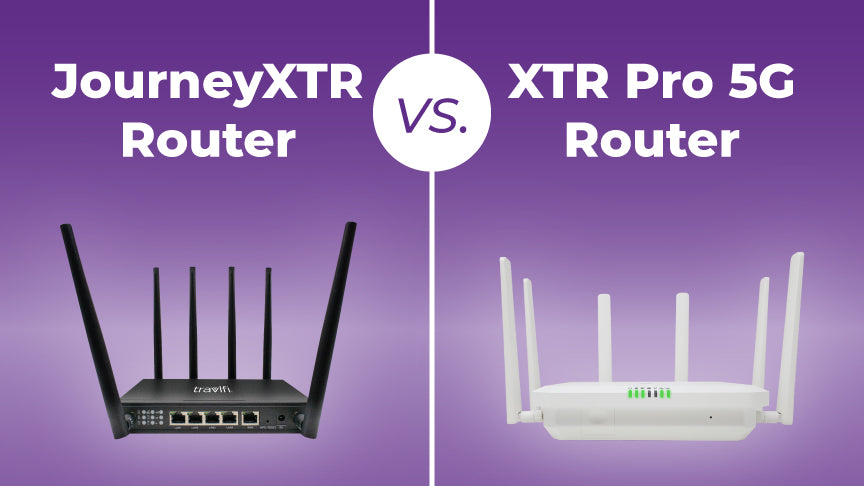
There’s either a physical SIM card or an eSIM (an embedded SIM that connects to networks automatically) inside the router. It’s essentially the same thing as the SIM in your phone. Some RV routers, like the TravlFi JourneyXTR, use multi-network eSIM technology that pings multiple carriers—T-Mobile, Verizon, AT&T, etc.—to find the best service at your location. As you travel from one carrier’s coverage area into another, the router will switch on its own.
For a deeper look, check out our guide on eSIM technology for travelers.
Most RV routers support external MIMO antenna ports. Mount an antenna on the roof of your rig (typically the higher you can get it, the better signal it’s going to receive) and you can improve signal strength in areas where the signal would otherwise be spotty.
Unlike campground Wi-Fi, where you’re sharing one connection with every camper in the park, your router creates a private network just for your devices. “The biggest misconception I hear is that people think an RV router works like campground Wi-Fi,” says Jeff Gwinnell, TravlFi connectivity specialist. “It’s the opposite — you own your connection.”
And that’s really the whole point in installing Wi-Fi in your RV. It’s the same as your house, your Wi-Fi is your Wi-Fi—so long as your password protects it, of course.
RV Wi-Fi Router Pros and Cons
Here’s an honest look at what a router does well and where it falls short:

Pros
-
Wider range and coverage than a mobile hotspot or smartphone hotspot
-
Supports multiple devices simultaneously (typically 32-128, depending on the router)
-
Can connect to cellular networks and, in some cases, pick up campground Wi-Fi to rebroadcast
-
External antenna support for boosting signal in weaker coverage areas
-
Supports stronger connections, providing faster internet speeds and a lower risk of dropped connection
-
Built to handle the physical implications of life on the road, like vibration, temperature changes, 12V or AC power, etc.
Cons
-
More expensive than a basic hotspot ($200-$500+ for the router hardware)
-
Needs a power source; most plug into AC or 12V, so they’re not as portable as a mobile hotspot
-
Still dependent on cellular coverage—if there are no towers nearby, a router can’t create a signal out of thin air
-
Installation can take some work (mounting antennas, running cables, etc.)
-
Probably overkill for weekend campers who only need to connect a phone and a tablet for a couple days
When You Need an RV Router
An RV router setup is definitely not a necessity for every RV owner. A mobile hotspot or even your smartphone signal could be just fine if you’re a casual weekend tripper who just needs to check emails and send a couple texts at camp.
But overall, no cell signal, data limitations, and simply not having an easy way to connect are all issues many RVers face. These are the situations we deem a router will be the best solution:
-
You work remotely from your rig. Video calls, the Cloud, larger files, etc. all need consistent, low-lag internet that a mobile or cellular hotspot typically can’t provide. A router provides a more consistent connection that isn’t going to overheat or stop mid-call.
-
You travel with a family or group. If four or five people are streaming, gaming, FaceTiming and browsing at the same time, you need a more powerful device that can handle all of that at once. Most RV routers allow 32 to 128 devices to connect at once.
-
You’re a full-time RVer or vanlifer. If the road is your home, reliable internet is a necessity. Telehealth appointments, banking, staying connected with family all require a connection you can count on no matter your location.
-
You boondock or camp off-grid frequently. When you’re parked away from a campground, there’s no shared campground Wi-Fi for backup. A router with external antennas is your best shot at pulling a signal into your rig in remote areas.
-
You want a setup you can “set and forget.” Unlike phone hotspotting (which drains your battery and ties up your device), a router runs continuously in the background. Plug it in, configure it once, and you’re all good.
Common Misconceptions About RV Routers
RV internet hardware can be confusing. Here are some of the most common questions and misconceptions we hear:
Is an RV Wi-Fi router the same as a hotspot?
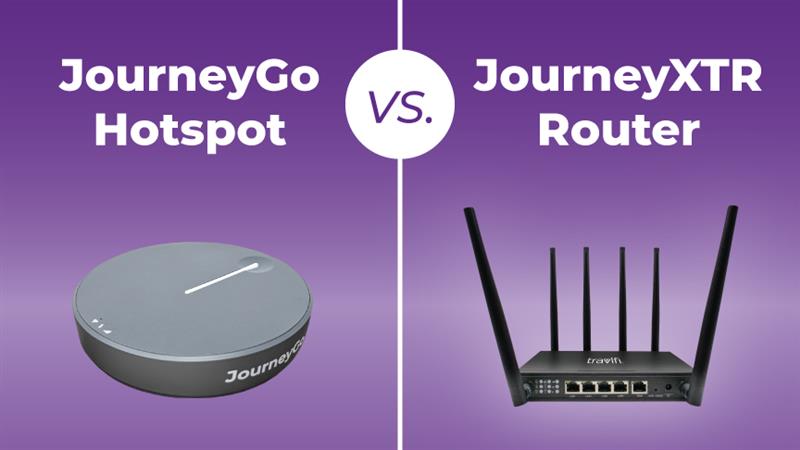
No, and we get this question quite often. An RV Wi-Fi hotspot and an RV Wi-Fi router serve the same purpose, but use different technology and have different levels of effectiveness. A hotspot is typically a mobile device that uses cellular data to create a portable Wi-Fi network. Though convenient, it usually supports fewer devices and has a small range.
An RV Wi-Fi router can pick up signals from cellular data and send them to multiple devices over a wider area. This type of signal is ideal for long-term travel or situations where several people need to connect at once. Routers support stronger connections, which leads to quicker speeds and minimal dropped connections.
Do all RVs come with Wi-Fi routers?
No. Some newer and more premium RVs come with built-in Wi-Fi, but the vast majority don’t. And even when an RV does have “built-in Wi-Fi,” it’s often a basic system that relies on campground Wi-Fi or a single-carrier cellular connection. Most serious RVers end up installing their own separate router for a more effective connection.
Can I use any router in my RV?
Technically yes, but also, not really—let us explain. A standard home router is not designed for road life. A home router expects a cable or fiber modem connection, it doesn’t have a built-in cellular modem. The biggest difference between an RV router and a home router is that a cellular router has its own modem inside, pulling internet directly from cell towers. It’s also built for the road and able to handle vibration, temperature swings, inconsistent power, etc. So in short, you can only really use your home router if you pair it with a cellular modem or hotspot as its connection source. Since that’s a lot, we’d just recommend a separate dedicated RV router altogether.
Is a router the same as a modem?
Not exactly, but the line is blurry in the RV universe. For home internet, a modem converts the incoming signal (cable, fiber, DSL) into data your devices can use, while a router distributes that data as Wi-Fi. But in the RV world, most cellular routers have a built-in modem, meaning the RV modem vs router distinction isn’t super relevant because the router handles both jobs inside one device.
Does a Wi-Fi router improve signal strength?
A router alone doesn’t amplify a weak cellular signal—it needs an external antenna or a signal booster to do that. But a good RV router paired with an external antenna can be game-changing. The router gives you better antenna options and more control over your setup.
RV Wi-Fi Router Setup
Building out the best router setup for RV internet is more straightforward than you may expect. Here’s how to do it:

1. Insert SIM / eSIM
If your router uses a physical SIM card, put it into the SIM slot (which is usually on the bottom or side of the router). If your router uses eSIM technology (like TravlFi’s TowerSync system) the SIM is already embedded. Just activate it in the setup process. The eSIM lets the device connect to multiple networks automatically, so there’s no card to swap in when you need to change locations.
2. Connect to Carrier Data
Turn on the router and let it search for available cellular networks. Sometimes this happens automatically, but you may need to select a carrier through the admin dashboard. Multi-network routers will scan all available carriers and connect to the best one in the area.
You should see indicator lights confirming when you have a connection, but check your device’s manual for specifics. And if nothing connects right away, move the router near a window and give it some more time.
3. Configure Your SSID / Security
Your router will broadcast a default Wi-Fi network name (SSID) and password. Change both, and pick a unique network name and password. This prevents strangers at the campground from using your network and slowing your service.
4. Add External Antennas
So long as your RV router supports external antennas (most RV-grade models do), we recommend you use them. Mount the antenna as high up on your vehicle as possible (the rooftop is ideal). Higher up means better line of sight to cell towers. Run the coaxial cables from the antenna down to your router, and ensure they are tight to your RV.
For more on this, check out our guide on RV Wi-Fi boosters.
5. Test at Multiple Locations
Don’t assume your setup is dialed in after one test. Cellular coverage varies between locations, and what worked for you in Austin may not work the same in the remote Montana wilderness. Test your speeds and connection stability at several different stops. This will help you figure out if you should adjust your antenna placement, swap antennas, or install a signal booster.
What to Look For in an RV Router in 2026
When selecting an RV Wi-Fi router, weigh the type of internet access you need, the number of devices needing connection, and the places you’ll be traveling. Here are the most important considerations you’ll need to make:
-
Cellular compatibility: First, the router should support the network of your chosen mobile carrier, whether it’s LTE or 5G. But multi-network capability is a huge perk as single-carrier routers limit you to one network, and that can leave you with no sig when that carrier’s coverage drops off.
-
External antenna support: Opt for MIMO antenna ports so you can mount a rooftop antenna and pull in signal from farther away.
-
Number of devices supported: Select a router that will support all the devices that need a connection (add up your phones, tablets, laptops, etc. for an estimate). A good RV router should be able to handle around 30 devices at once. If you have a lot of people traveling with you, seek out routers supporting 64-128 connections, like the TravlFi XTR Pro 5G.
-
Dual LAN/WAN: This allows you to hardwire devices (like a streaming stick or security camera) and use multiple internet sources at the same time.
-
Load balancing: Routers with this feature can use two connections (like cellular and campground Wi-Fi) for faster internet overall.
-
Mounting form factor: Decide if the router is compact enough to tuck behind a cabinet or if you need to mount it on a wall inside your RV.
-
Electrical draw: RV power is limited, especially if you boondock. Pick a router that uses power sparingly and isn’t going to drain your battery.
Other RV Internet Options
An RV Wi-Fi router isn’t the only way to get internet on the road. Here’s how the other connection sources compare:

For a complete overview, check out the 4 RV Wi-Fi options every digital nomad needs to know about.
RV Wi-Fi Hotspot
A Wi-Fi Hotspot is a compact, battery-powered device that connects to cellular data and broadcasts a small Wi-Fi network. Hotspots like the TravlFi JourneyGo support up to 10 devices with 16 hours of battery life. These are ideal for solo travelers, weekenders, and those needing max portability. The trade-off is fewer device connections and shorter range.
Many hotspots only connect to one data provider (although that’s not the case with TravlFi’s hotspots, which access all major network providers at no additional cost). And a lot of full-timers will actually start with a hotspot and upgrade to a router as they build out their rig.
Phone Hotspot
A cell phone hotspot is a smartphone feature that uses the data provided by your network to create a Wi-Fi hotspot. While the hotspot feature on your phone is a convenient solution in a pinch, the speeds and signal strength will typically be less than a dedicated mobile hotspot and definitely less than a router. Many cellular plans that include hotspot data limit you to 40 to 60GB, and using the hotspot on your phone consistently can really kill your battery.
Satellite Internet
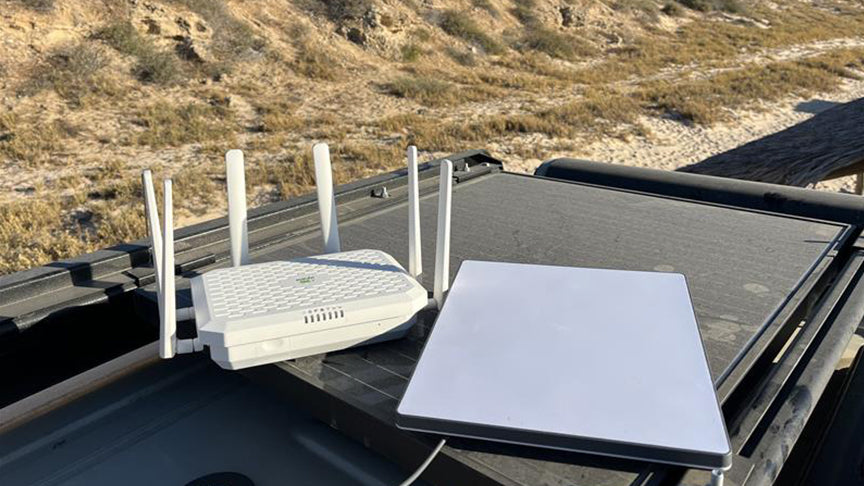
Satellite services like Starlink have improved, but they still require bulky equipment, a direct line of sight to the sky, and usually a higher monthly cost. A satellite dish pulls about 75-100 watts, which is a lot if you rely on solar or a limited battery capacity. Satellite is best as a backup for remote boondocking spots where no cell towers exist.
For a detailed side-by-side, check out TravlFi vs. Starlink for RV.
FAQs
Do I need a separate router if I have a hotspot?
If you’re a solo traveler connecting one or two devices sparingly, a hotspot is probably enough. But if you’re connecting more than a few devices, working remotely, or streaming regularly, a router is going to give you faster speeds, more coverage, and a better signal.
Can an RV router work with campground Wi-Fi?
You can find routers that have a “Wi-Fi-as-WAN” feature that lets them connect to a campground’s Wi-Fi and rebroadcast it through a private network. This is great for safety (since you’re then connecting your devices through your router rather than the vulnerable public network) and can improve coverage inside your rig. But the underlying campground Wi-Fi speed is still limiting, and if it’s slow, your router can’t fix that.
How many devices can an RV router support?
Entry-level routers typically support 16-32 devices, while higher-end models support just under 130 (like the TravlFi XTR Pro 5G). For most traveling couples or families with one or two small children, 32 is more than enough. Bigger families, nightly Netflix bingers, or anyone using a whole bunch of devices will want 64 or more.
How much data do I need for RV Wi-Fi?
This depends on your internet usage. If you stream a lot of content or work online daily, you’ll likely need an unlimited data plan or a high-data cap plan to avoid overage fees. If you’re just taking weekend trips and using the internet sparingly on those trips, you can usually get by with 10-20GB per month.
For a detailed breakdown, check out our guide on how long 200GB of data could last you.
Do I need a router for RV internet?
Not necessarily. There are many forms of RV internet to choose from, including mobile hotspots, cell hotspots, campground Wi-Fi, and satellite internet. An RV router is a great option for a long-term RV setup, particularly if you work remotely.
Can I use a home router in my RV?
Yes and no. An RV router contains a modem that home routers do not, and this cellular modem pulls internet from cell towers. An RV router is also built for road life, meaning it can handle things like vibration, temperature changes, etc. Though you can technically use your home router as long as you pair it with a cellular modem or hotspot as its connection source, we recommend opting for an RV router for a more efficient setup.
More Essential Reading for RVers:
Which TravlFi Device Is Right for You?
TravlFi keeps you connected on the road. Not sure which device is best for you? Compare below.

Learn more about TravlFi’s mobile internet options and pay-as-you-go data plans.